Introduction
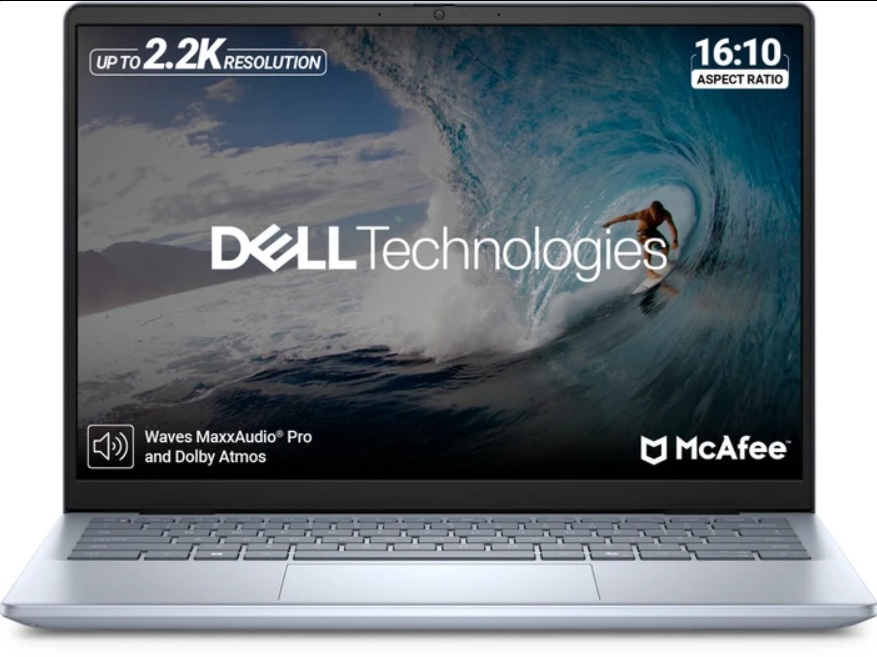
Looking for the best laptop under ₹35,000 in India in 2025? The Dell Inspiron 5440, equipped with a 13th Gen Intel Core i3 processor, has entered the market as a promising option for students, office professionals, and everyday users. This in-depth review covers everything you need to know—from unboxing to performance, build quality, display, and whether it’s truly value for money in its segment.
Unboxing Experience
- Box Contents:
- Paperwork
- 65W adapter with premium-quality cable (barrel pin, not USB-C)
- First Impressions:
- The laptop arrives in an ice blue finish, which stands out versus traditional platinum silver. The top cover features an aluminum finish, while the palm rest and bottom are made from high-quality hard plastic.
- Build Quality:
- Minimal flex on the top cover, a thickness of 18.9mm, reinforced with two rubber grips at the bottom for stability and airflow.
- Dual air vents for better cooling, a noticeable upgrade from previous models which had a single vent.
- Weighs light and feels sturdy for daily use.
Design and Ergonomics
- Branding: Centered Dell marking on the lid and Inspiron branding on the underside.
- Opening Mechanism:
- The lid can’t be opened with one hand but supports up to a wide angle.
- Hinges slightly lift the base for improved typing and airflow.
- Keyboard:
- Full-size, ice blue, English international backlit keyboard with two brightness levels.
- Excellent key travel, no flex during heavy typing, and includes a dedicated power button.
- Trackpad:
- Generously sized for a 14-inch device, fully clickable, and supports all Windows 11 gestures.
- Build Overview:
- Premium look and feel in this budget.
Ports and Connectivity
| Side | Ports |
|---|---|
| Right | Security slot, 1 x USB 3.2 Gen 1 Type-A (5Gbps), 3.5 mm audio jack, SD card reader |
| Left | Power input, HDMI 1.4, 1 x USB 3.2 Gen 1 Type-A (5Gbps), 1 x USB 3.2 Gen 1 Type-C (data only) |
- Latest Wi-Fi 6 and Bluetooth 5.2 for robust wireless connectivity.
Technical Specifications
- Processor: Intel Core i3-1305U, 5 cores (1 performance, 4 efficient), 6 threads, up to 4.5 GHz, 10 MB cache.
- RAM: 8GB DDR5 (4400MHz) with upgrade possibility.
- Storage: 512GB PCIe NVMe Gen 3 SSD—fast read/write speeds.
- Graphics: Integrated Intel UHD Graphics with up to 4GB shared memory.
Display & Multimedia
- Size: 14-inch Full HD+ (IPS WVA ComfortView, anti-glare)
- Brightness: 300 nits
- Color Gamut: 45% NTSC
- Refresh Rate: 60Hz
- Speakers: Dual 2W down-firing stereo speakers provide sufficiently loud audio for this price.
- Webcam: Standard quality for video calls and conferences.
Performance Testing
- Benchmarks:
- Cinebench R23, Geekbench 6, 3DMark Time Spy, CrossMark, and PCMark 10 scores indicate competent performance for an entry-level processor.
- Everyday Tasks:
- Boots in approximately 15 seconds.
- Smooth for office work, web browsing, streaming, and light multitasking.
- Not ideal for heavy video editing or demanding tasks; basic level video edits see noticeable lag.
- Gaming:
- Playable: Basic and older titles (e.g., Spec Ops: The Line, Sniper 2) at HD/medium settings with 50–60 FPS.
- Limitations: Not suitable for modern, graphically intensive games.
Battery Life
- Battery: 3-cell, 41Wh
- Backup: Expect up to 5 hours of typical usage on a single charge—adequate for students and professionals.
Value Verdict
- Official Price: Listed at ₹42,000 on Dell’s website.
- Ideal Buy Price: If available around ₹35,000 during sales/offers, it offers great value for its segment.
- Alternatives Under ₹40,000:
- Acer Aspire Lite (Ryzen 5)
- Samsung Galaxy Book 4 (i3 13th Gen)
- Lenovo IdeaPad 1 (Ryzen 5 Hexa-core)
- Best For: Those seeking a reliable, stylish laptop for office work, study, or light entertainment—not for heavy editing or gaming.
Final Thoughts
The Dell Inspiron 5440 with the 13th Gen i3 is a solid choice for everyday users prioritizing build quality, design, and a good display on a budget. It stands out for its premium build, robust day-to-day performance, and decent battery backup. However, set realistic expectations—this is not a machine for heavy content creation or high-end gaming. If you get it at the right price, it’s among the best in its class for basic to intermediate tasks.